
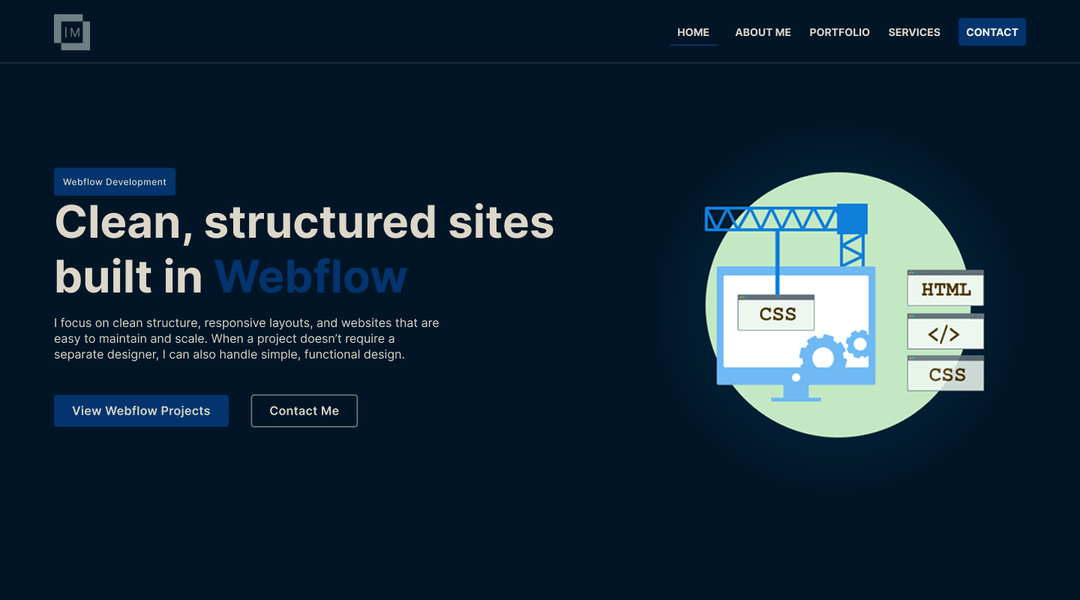
When I originally built my portfolio, the goal was straightforward: create a modern, professional website where I could present my projects, services, and web development experience.
The design started in Figma, and the complete website was then developed in Webflow.
At that stage, Webflow was an excellent solution. It allowed me to turn the design into a fully responsive website relatively quickly, add interactions and animations, and launch a production-ready portfolio without building an entire system from scratch.
But as the portfolio started to grow, the requirements changed.
I no longer needed only a visually polished static portfolio. I wanted a system where I could manage the hosting and source code myself, publish detailed case studies through a CMS, reuse templates, keep content under version control, and automatically deploy every change to production.
That is how a relatively simple Webflow portfolio gradually evolved into a small self-hosted content platform.
Phase 1 — Design and Development in Webflow
The first version of the portfolio was a classic design-to-Webflow project.
The complete UI/UX was first defined in Figma, including the visual direction, typography, colors, spacing, page structure, and the way projects would be presented.
The design was then implemented in Webflow.
Responsive behavior was an important part of the development process. The desktop design was not simply scaled down for smaller devices. Layouts, typography, spacing, and individual components were adjusted for tablet and mobile breakpoints.
Webflow also made it possible to add interactions and animations without unnecessarily complicating the frontend code.
The result was a fully functional portfolio with a clear visual identity.
And that became important later.
When I eventually decided to migrate the website, there was no reason to rebuild a frontend that was already working well.
The goal was not to redesign the portfolio.
The goal was to preserve what already worked and change the infrastructure behind it.
Phase 2 — Moving from Webflow Hosting to Self-Hosting
Over time, it became clear that the production portfolio no longer needed to remain tied to Webflow hosting.
I exported the Webflow project and moved the complete frontend into a local development environment.
That preserved the existing:
-
HTML structure
-
CSS
-
JavaScript
-
images and other assets
-
animations
-
responsive behavior
-
existing frontend functionality
Instead of rebuilding everything, the exported Webflow website became the foundation of the new self-hosted project.
The site was then deployed to Hostinger.
This gave me something important: direct control over the production files, hosting environment, and future development of the website.
Replacing the Webflow Form Backend
Moving away from Webflow hosting also meant that the contact form could no longer depend on Webflow’s form processing.
I replaced that functionality with a custom PHP endpoint.
The frontend intercepts the form submission, sends the data to the server, and the PHP endpoint processes the request and returns a JSON response. The interface then displays the appropriate success or error state.
For bot and spam protection, I integrated Cloudflare Turnstile.
The contact form therefore works independently of Webflow infrastructure while preserving the original user experience and design.
Phase 3 — Turning a Static Website into a CMS-Driven Platform
Self-hosting solved the infrastructure problem, but another question remained:
How should new case studies be added?
The simplest solution would have been to duplicate an existing HTML page every time I wanted to publish a new project.
Technically, that would work.
Long term, however, it would create duplicated markup, repeated maintenance work, and the possibility that individual case study pages would gradually become inconsistent.
I wanted the content to be independent from its presentation.
That led to the introduction of a static site generator.
Eleventy as the Static Site Generator
I introduced Eleventy (11ty) into the project.
Eleventy allows the content to remain separate from the HTML templates while generating final static pages during the build process.
For project case studies, I created a reusable Nunjucks template.
Instead of maintaining a complete HTML page for every project, each case study contains its own structured data and content.
That includes information such as:
-
project title and category
-
project status
-
short description
-
hero content
-
project information
-
challenge and goals
-
roles and responsibilities
-
development process
-
technology stack
-
integrations
-
key features
-
deliverables
-
results
-
lessons learned
-
project gallery
-
project links
-
SEO metadata
One reusable template turns that structured content into a complete case study page.
This creates an important maintenance advantage.
If the case study design needs to change in the future, I do not need to edit every project individually.
I update the template once.
Markdown as the Content Layer
Each project is stored as a Markdown file.
This gives the portfolio a simple content layer without requiring a traditional database.
For this type of website, that is an intentional architectural choice.
The portfolio does not need user accounts, complex relational data, or content that changes thousands of times per day.
Introducing a database and a full backend purely for managing portfolio content would add complexity without solving a real problem.
Markdown is enough.
But manually editing Markdown and front matter is not an ideal publishing workflow.
That is where Pages CMS enters the architecture.
Pages CMS — Managing Content Visually
The GitHub repository is connected to Pages CMS.
Instead of manually opening Markdown files and editing front matter, I can manage content through a structured CMS interface.
For project case studies, the CMS exposes fields for the project title, category, featured image, services, technologies, project information, goals, responsibilities, technology stack, gallery, SEO data, and the other sections used by the case study template.
Projects can also be marked for display on the homepage.
When content is saved, Pages CMS creates or updates the corresponding Markdown file directly in the GitHub repository.
In other words:
The CMS is not a separate database. The Git repository remains the source of truth.
This also means that content changes automatically have version history.
Every CMS update becomes a Git commit.
GitHub as the Center of the Publishing Workflow
At this point, the architecture looked approximately like this:
Pages CMS → Markdown → GitHub → Eleventy → Static HTML
There was still one missing step.
Deployment.
I could have run the build locally, taken the generated files, and uploaded them manually to Hostinger.
For occasional changes, that would be acceptable.
For a CMS-driven website, it creates unnecessary friction.
If content can be updated through a browser, there should be no need to open the local project simply to publish that change.
So I automated the deployment process.
GitHub Actions + Hostinger Automated Deployment
A GitHub Actions workflow now reacts to changes on the main branch.
Whenever a new commit is created, the workflow automatically:
-
checks out the repository
-
prepares the Node.js environment
-
installs the required dependencies
-
runs the Eleventy production build
-
generates the final
_distoutput -
deploys the production files to Hostinger
The deployment uses a dedicated FTP account restricted to the portfolio website’s production directory.
Credentials are not stored in the repository. They are kept securely as GitHub Actions Secrets.
The complete publishing workflow is now:
Pages CMS → GitHub commit → GitHub Actions → Eleventy build → FTP → Hostinger → Live website
Publishing new content no longer requires a manual production upload.
I update the content in the CMS.
I click Save.
The rest happens automatically.
Why FTP Instead of SSH?
The original plan was to deploy through SSH.
In theory, the GitHub Actions workflow could build the website and transfer the generated files directly to the server through an SSH connection.
In this particular shared-hosting environment, however, direct SSH deployment from a GitHub Actions runner did not prove to be the most reliable solution.
Instead of adding infrastructure complexity simply to preserve the original technical plan, I adapted the deployment method to the environment.
A dedicated FTP account was created with access restricted to the appropriate production directory, and the workflow was switched to FTP deployment.
It is a useful reminder that the best technical solution is not necessarily the one that looks most modern on an architecture diagram.
The better solution is the one that reliably solves the actual problem.
Separating Projects from the Blog
As the content architecture evolved, another structural improvement became useful.
Initially, the case study listing used the /blog/ route. That worked when the website only needed a place to publish detailed project content, but it blurred the distinction between portfolio projects and editorial articles.
The architecture now treats them as two independent content systems.
Project case studies live under:
/projects/
Each project has its own URL:
/projects/<project-slug>/
Projects use their own Pages CMS collection, structured project schema, Eleventy collection, and reusable case study template.
The actual Blog now lives under:
/blog/
Blog articles use a separate Pages CMS collection, their own Markdown content directory, a dedicated Eleventy collection, and a reusable long-form article template.
This separation makes the content model much clearer:
Projects are evidence of work. Blog posts explain ideas, decisions, processes, and lessons behind the work.
The two systems can reference each other without being coupled together.
For example, this article explains the architecture and migration process, while the corresponding project page can focus on the portfolio itself as a case study.
Automatically Generated Project Listings
Structured content is useful beyond individual case study pages.
Eleventy also uses the project data to generate the Projects listing automatically.
When a new project is added through the CMS, the website can generate its card, URL, and case study page without manually creating another HTML page.
There is no need to manually duplicate a card, copy a title, or connect another URL.
The same source data is reused wherever it is needed.
That may seem like a small improvement when a portfolio contains only a few projects.
It becomes increasingly valuable as the portfolio grows.
Featured Projects on the Homepage
A similar principle is used for the homepage.
Projects can be configured through the CMS to determine whether they should appear among the featured work on the homepage.
That means the homepage selection is content-driven rather than manually maintained in several different places.
The CMS controls the content, while the templates control its presentation.
A Separate Publishing System for Blog Articles
The new Blog follows the same general philosophy without copying the much larger Project schema.
Blog posts have a deliberately simpler content model designed for long-form articles.
The Blog CMS includes fields for:
-
title and slug
-
publication date and status
-
featured state
-
category and tags
-
excerpt
-
featured image
-
author
-
Markdown article content
-
optional related Project
-
SEO title and description
-
Open Graph image
Published articles are generated at build time and automatically appear on the /blog/ listing.
Draft articles can remain in the CMS without being included in the production Blog.
This gives the website two purpose-built publishing workflows while keeping both systems inside the same Git-based architecture.
Analytics and Understanding User Behavior
The portfolio also uses Microsoft Clarity.
Clarity provides heatmaps and session recordings that help me understand how visitors actually interact with the website.
For example, I can observe:
-
how far visitors scroll
-
which elements receive interaction
-
where users pause
-
whether certain calls to action are being ignored
-
where the user experience could be improved
That means future improvements do not have to rely entirely on assumptions.
Is This Cheaper Than Keeping the Portfolio on Webflow Hosting?
For this particular project, yes.
But reducing cost was not the only reason for the migration, and it was not the most important one.
Webflow remains a useful development tool. The question was simply whether this specific website still needed Webflow’s hosting model after its requirements changed.
The portfolio now runs on hosting I already use, while Pages CMS, GitHub, and GitHub Actions provide the content and publishing workflow without requiring another traditional paid CMS.
That reduces the recurring cost associated specifically with the portfolio.
At the same time, I gained:
-
direct control over the source code
-
control over hosting
-
Git version history
-
a visual CMS interface
-
reusable templates
-
static site generation
-
automated deployment
-
separate Project and Blog publishing systems
-
the ability to evolve the architecture around future requirements
So the point is not simply:
“It is cheaper than Webflow.”
A more accurate description is:
For the requirements of this project, I gained more control and flexibility while reducing the long-term hosting cost.
What Remains from Webflow?
Quite a lot.
And that is intentional.
The migration was never an attempt to remove Webflow from the project as if using it originally had been the wrong decision.
The original Webflow frontend remains the visual foundation of the website.
The HTML, CSS, responsive structure, interactions, and design decisions created during that phase were not discarded simply because the infrastructure changed.
Instead, the project evolved around an existing frontend that already worked well.
I see the development path as:
Figma → Webflow → Export → Self-Hosting → Eleventy → Pages CMS → GitHub → GitHub Actions → Automated Deployment
Each layer was introduced when there was a concrete reason for it.
Current Architecture
Today, the portfolio combines several relatively simple technologies.
Frontend
HTML5, CSS3, JavaScript, jQuery, and GSAP.
Static generation
Eleventy and Nunjucks.
Content
Markdown.
CMS
Pages CMS.
Version control
Git and GitHub.
Backend functionality
PHP for contact form processing.
Security
Cloudflare Turnstile.
Deployment
GitHub Actions and FTP.
Hosting
Hostinger.
UX analytics
Microsoft Clarity.
None of these technologies is especially complicated on its own.
The value comes from how they are connected.
What I Learned from the Project
One of the most important lessons was that migration does not automatically need to mean rebuilding everything.
If an existing frontend works well, it can be more rational to preserve it and replace only the layers that have become limiting.
Another lesson was that a CMS does not automatically require a database, an API, and a complex backend.
For a portfolio or a similar content-driven website:
Markdown + Git + Static Site Generator + CMS Interface
can be a very effective architecture.
The third lesson was about deployment.
Automation may seem unnecessary when a website changes only once every few months. Once a CMS is introduced and content starts being published regularly, manual deployment becomes an unnecessary point of friction.
And perhaps the most important lesson is this:
Choose technology for the problem. Do not reshape the problem around the technology.
SSH deployment did not work the way I wanted in this particular shared-hosting environment. Instead of overcomplicating the system, I adapted the deployment mechanism and used a restricted FTP account.
The result is a simpler system that works reliably.
The Result
What started as a personal Webflow portfolio is now more than a collection of static pages.
It has become a small content platform that I can develop and maintain independently.
A new Project can move through the complete workflow:
Pages CMS → GitHub → Build → Deployment → Production
A new Blog article can follow the same workflow through its own dedicated content model.
There is no need to manually edit production HTML or upload generated files after every content update.
At the same time, the original design remains intact.
The website is live, but the project does not have a traditional “finished” state. It is in maintenance and continuous development.
As new projects, articles, services, and tools are created, the same platform can continue to evolve with the portfolio.
Explore the Project
If you want to see the implementation from a project perspective, you can read the full Personal Portfolio Website case study:
View the Personal Portfolio Website Case Study
You can also explore the live website:
Visit Igor Mihajlovski’s Portfolio
Conclusion
This project is particularly interesting to me because it combines two different sides of web development.
The first is visual: Figma, Webflow, responsive design, interactions, and user experience.
The second is structural: content architecture, templating, CMS, Git, CI/CD, hosting, and automation.
There was no need to choose between them.
Webflow provided a strong foundation for the frontend, while the later migration allowed me to build my own development and publishing system around that foundation.
The result is not simply a portfolio that looks different.
It is a portfolio that is maintained, developed, and published differently.